Exchanging Contacts Feature
You can share your contact information with somebody, and have them share theirs with you! This all happens through an Epype. When people use your Epype to exchange contact information, their information is saved immediately to your account in your contacts. This is made possible through the Exchange Contact Feature!
Here's where you can find the Exchange Contact button:
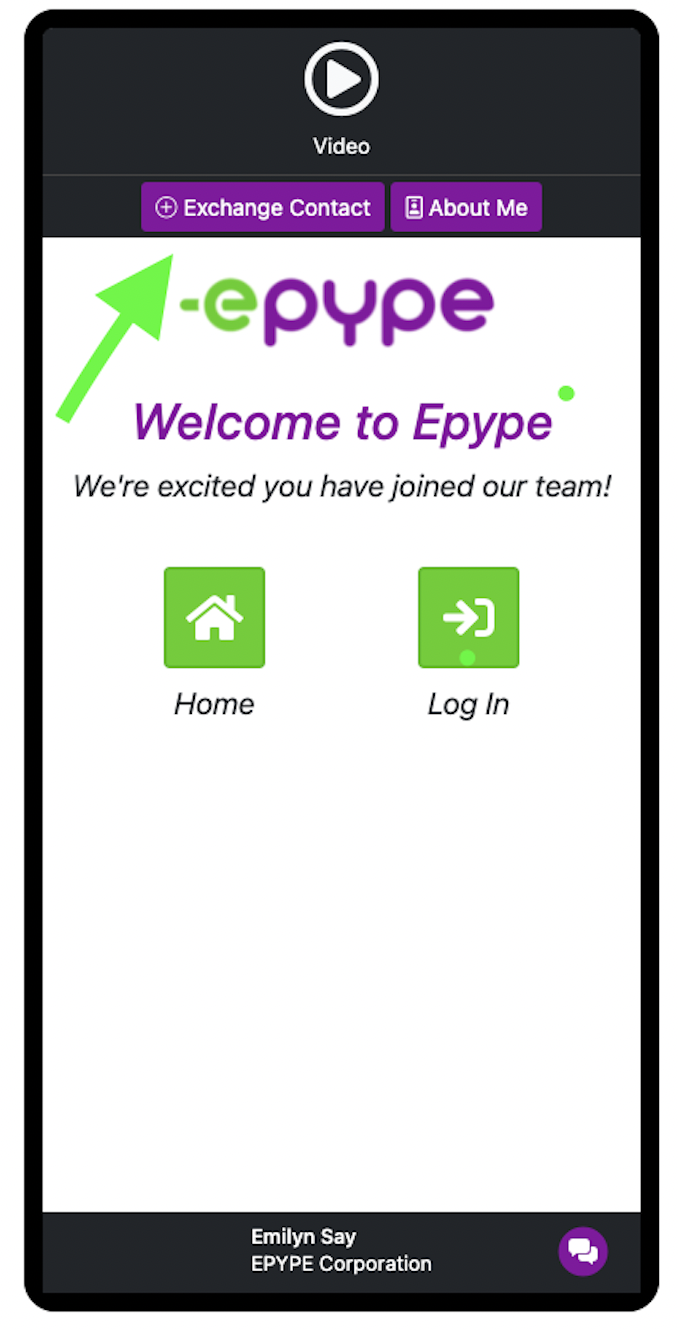
Let's Explore What Exchange Contact Feature Can Do!
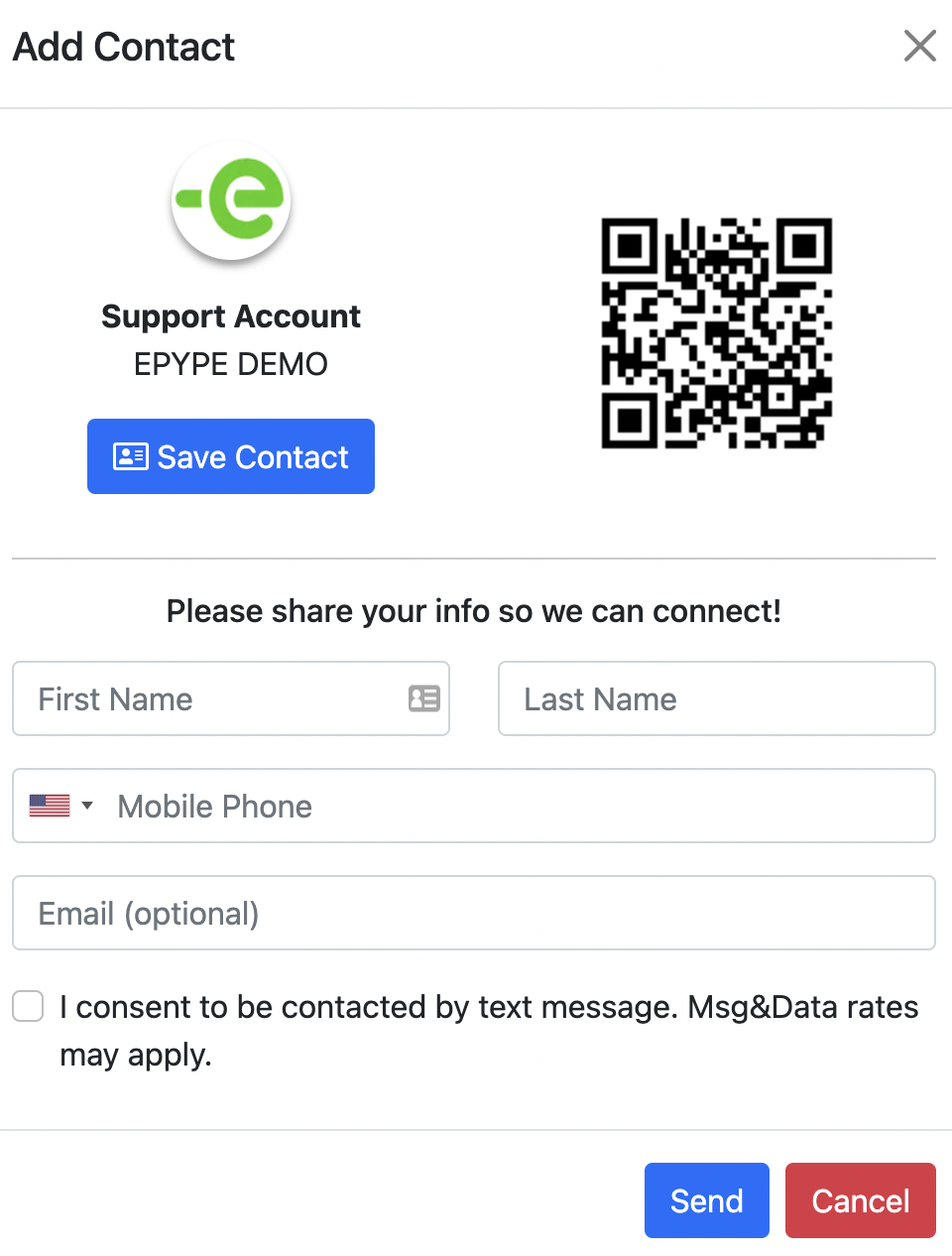
Features Available:
Save Contact - when you click the Save Contact button, it will open the Epype owner's contacts in the viewer's phone with all of the contact information pre-loaded.
QR Code - this is a quick way to share your Epype. You can share it by having somebody scan the QR code.
Share Info - fill out the needed information to Share Info. Contact information is saved immediately to the Epype owner's account in contacts.
Consent checkbox - check the checkbox to opt-in.
Be sure to click on Send to complete exchanging contacts!
Note:
You can turn this off for an Epype by unchecking the Show Exchange Contacts Button when creating or updating an Epype under the Contact Options.
You can also turn off the Contact Download/"Save Contact" option by unchecking the vCard Download Option when making or updating an Epype.