Creating Contact Groups to Make the Most of Your Experience!
What is a Contact Group?
- It's like a file for the contacts that you have on your account.
- Can be used to filter and search for specific contacts later.
- You can choose which groups are given to contact. (That's right, it can be more than one!)
Contact Groups Home Page
It is recommended to create a group before adding contacts. On the Contact Groups home page there are Group Names and Contacts. There is also an option to delete an existing Group.
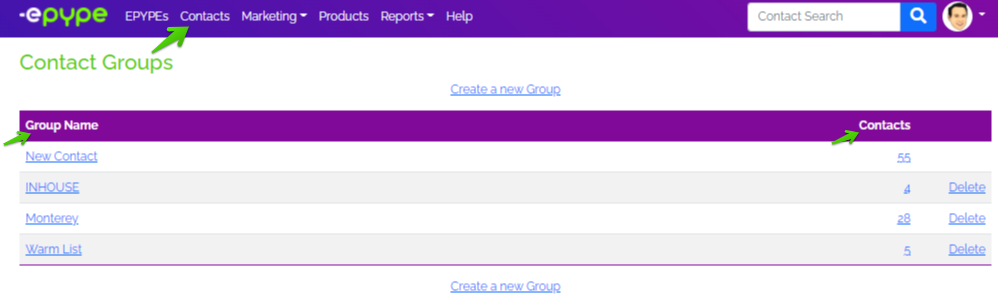
Group Name - Name of the file you creating for your contacts.
Contacts - Number of contacts in a Group.
3 Easy Steps in Creating a Group
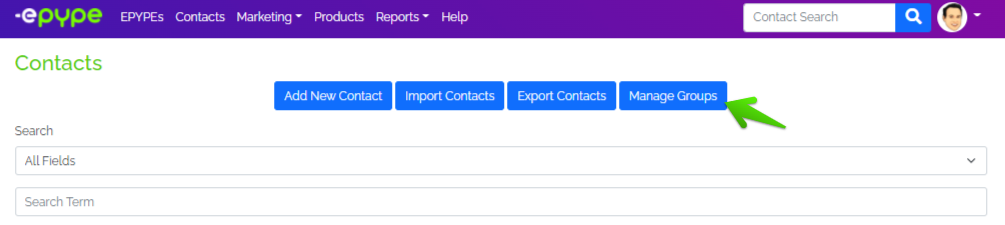
Step 1: Click on Contacts then on Manage Groups.
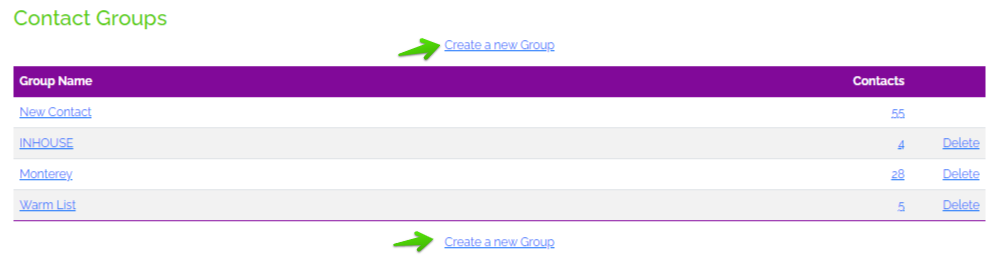
Step 2: Click Create a new Group.
Step 3: Type the Group Name and be sure to click on Save Changes.

Great Job! You have successfully created a Group. You can now add contacts to this group! Click HERE to learn more about adding contacts to groups.
Updated by: ES 03/14/2022