Epype is a great E-Commerce platform! You can add payment methods such as Venmo, PayPal, Stripe, and more! You can track what Epype was the most successful, and know how much of each item was purchased. This is great for selling individual items or services.
Adding a Product Step-By-Step:
You can add a product in three simple steps:
- Add a product payment method
- Create a product
- Add your product to an Epype
Step 1: Add a Product Payment Method
You can add a Product Payment method in two ways.
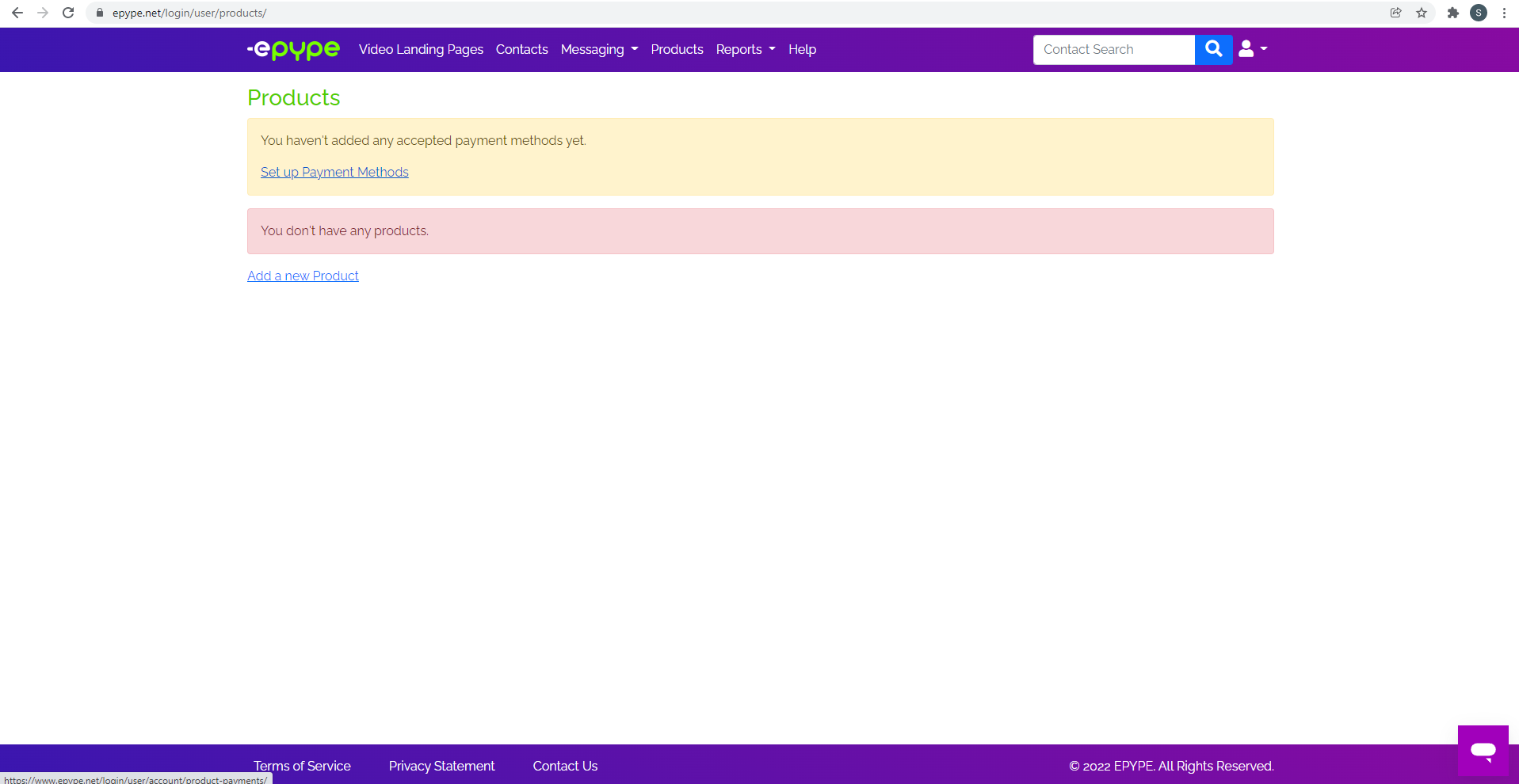
The first way is to click the products tab and click the "Set up Payment Method" link (see image below).
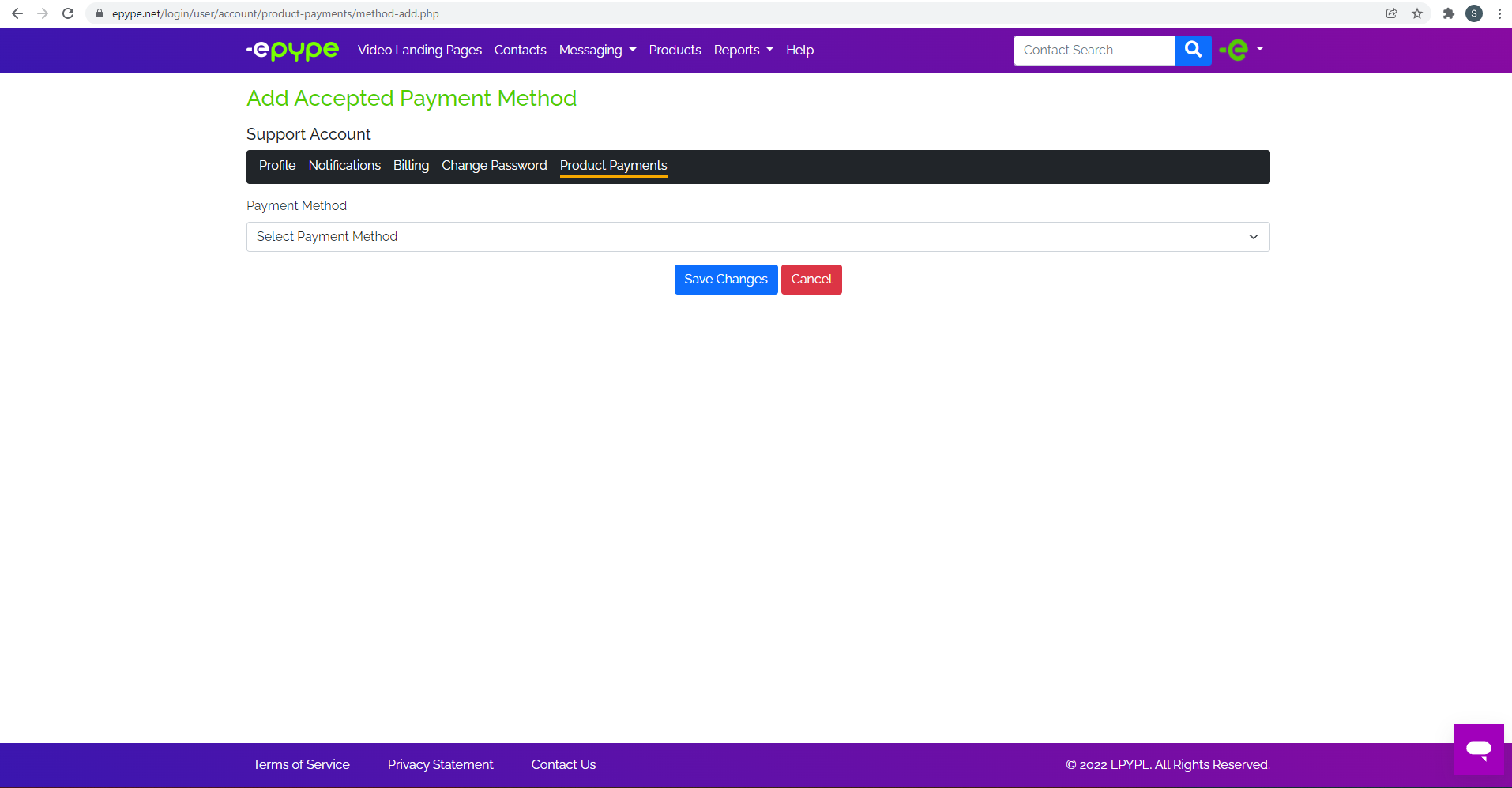
The second way is to select the profile icon on the top right of the screen. Click the "Update Profile" option. From there, select the "Product Payment" option and put in your information.
Step 2: Create a Product
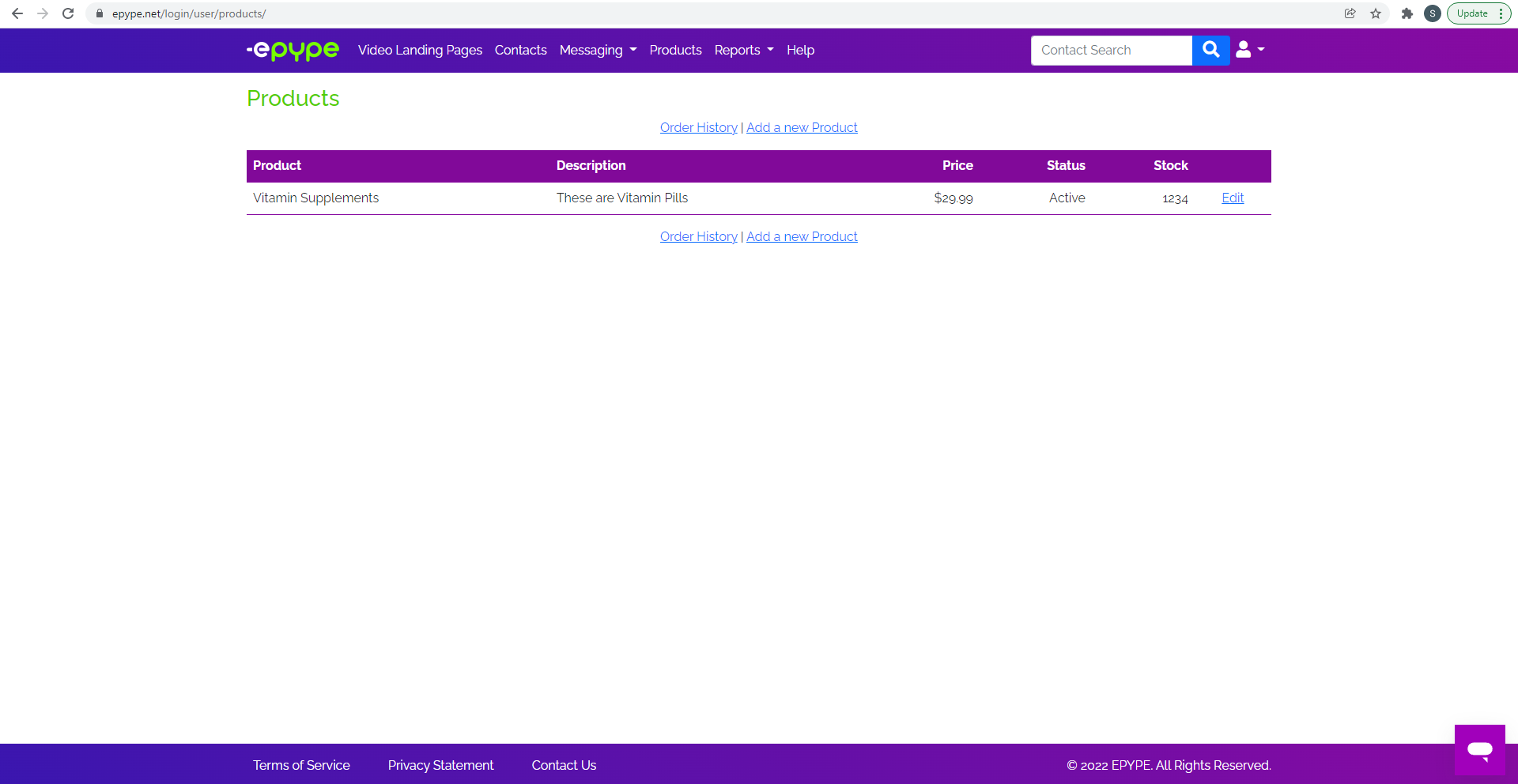
Click the Product tab. From here you can add a new product. Make sure to include a name, description, price, stock, and product Id for your product.
Step 3: Add Your Product to an Epype
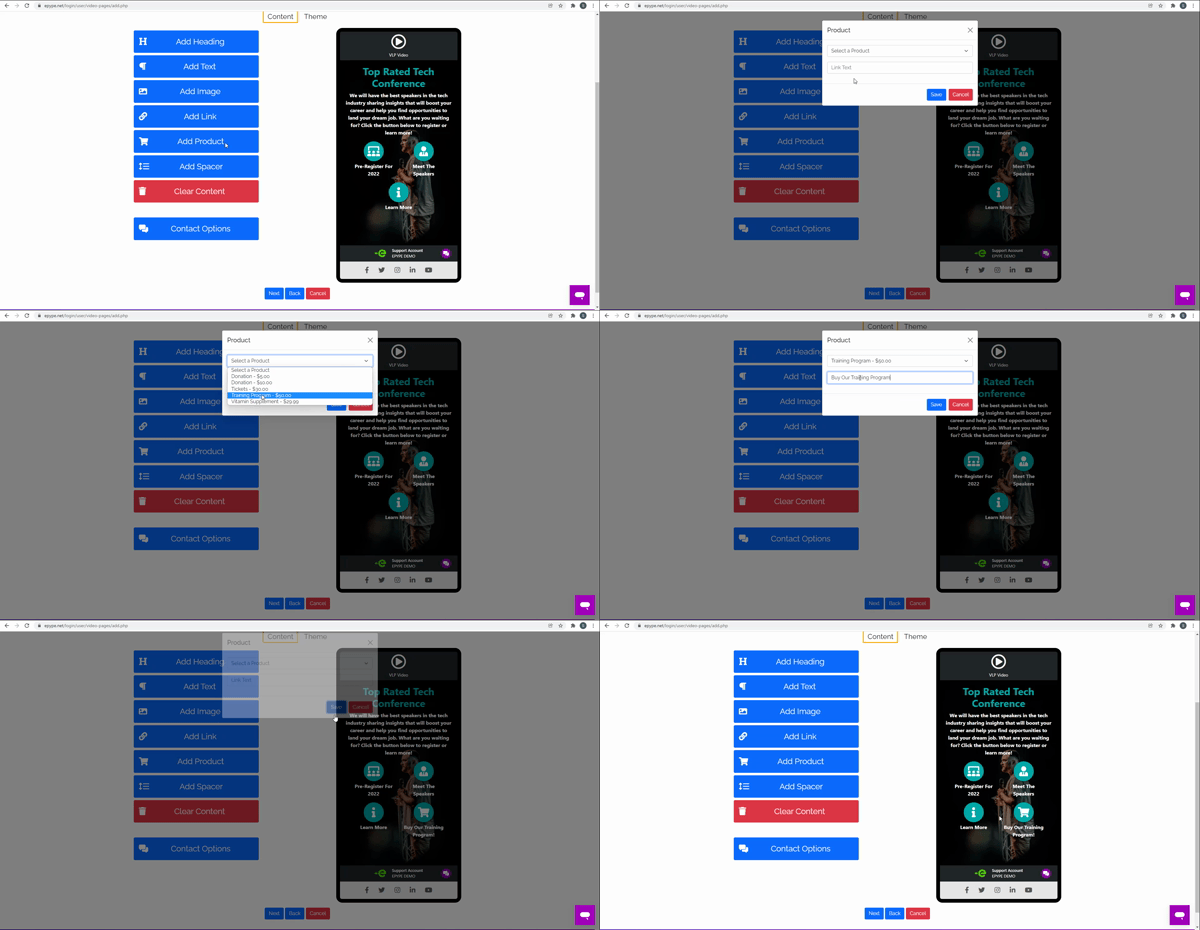
Select "Add Product" and add the product you created to your Epype.
Below you will see a short clip of adding a product to an Epype:
Hit next to continue.
Make sure that you Publish all the changes that have been made.
Last Updated by: ES 03/15/2022