Reports provide useful information so you can make the right decisions in furthering your business.
3 Reports Available on Your Profile
- Epype Activity
- Outbound SMS
- Keyword Activity
1: Epype Activity
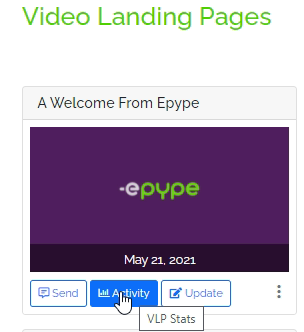
From your Epype Library, you can choose any Epype and select "Activity" to get a quick 7-day snapshot
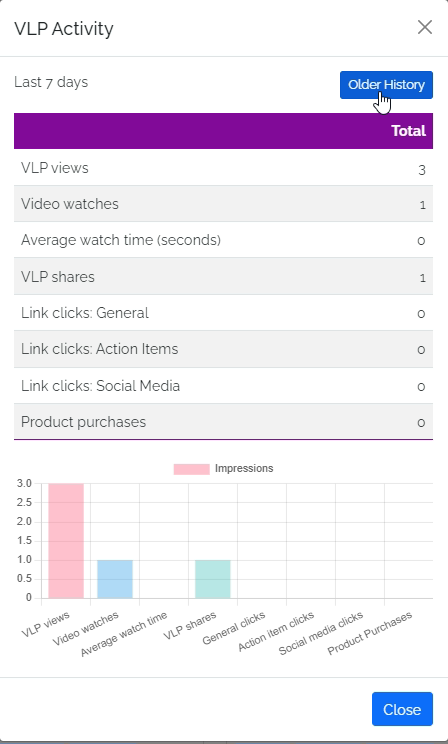
Below is a 7-day snapshot of an Epype.
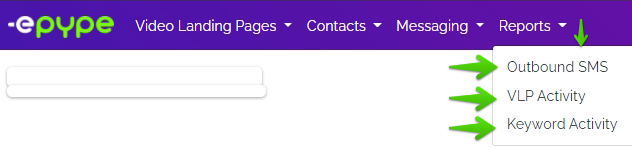
If you want a more in-depth view, click on Older History or go to the "Reports" tab at the top of your screen.
Here is where you can access different types of reports.
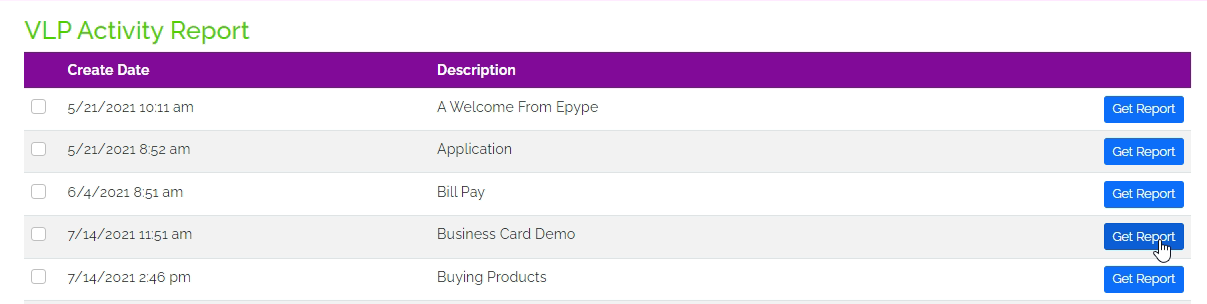
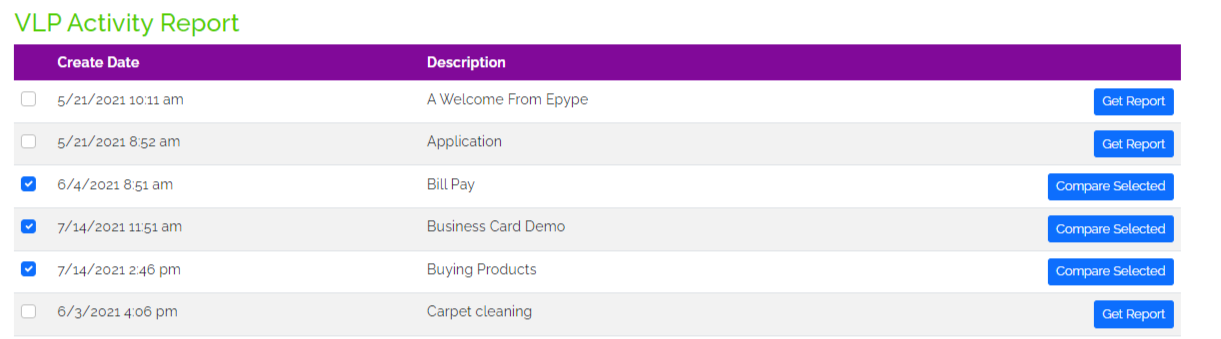
Epype Activity: Here you can select one or more Epype.
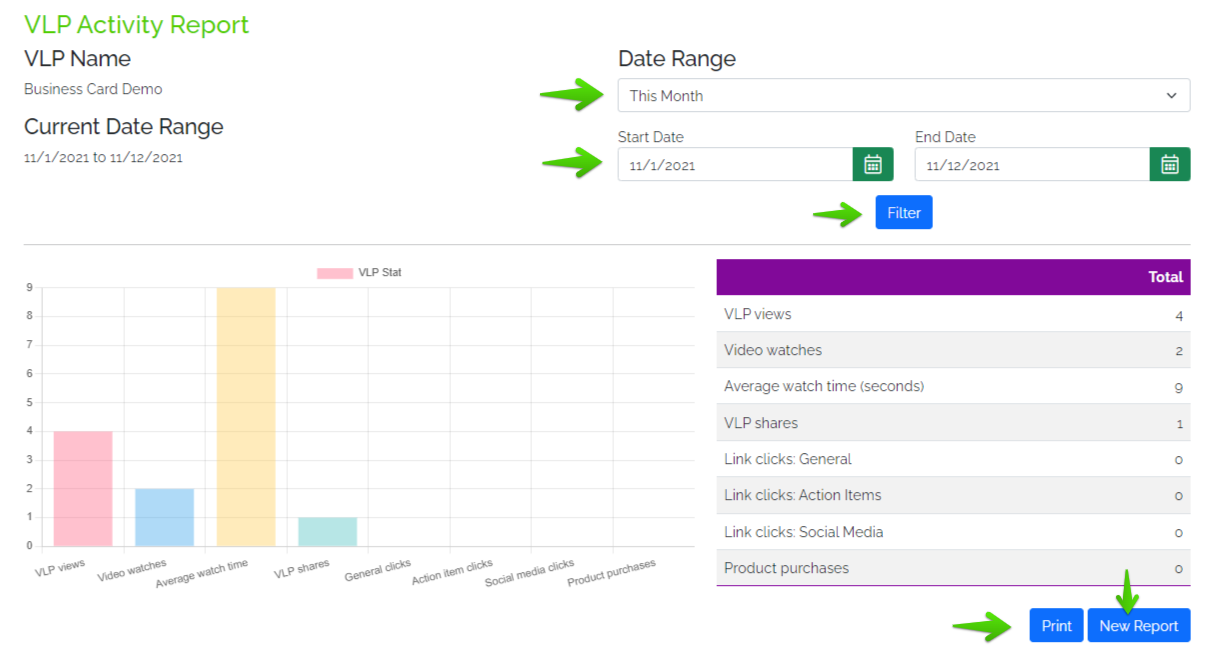
One Epype - individual report.
Step by Step Process:
- Modify Date Range.
- Click Filter to generate the report.
- Print to get a hard copy of the report, or download.
- Click New Report if you want to get data from another Epype.
Two or more Epype - comparison reports.
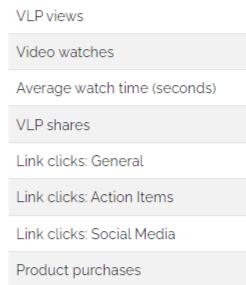
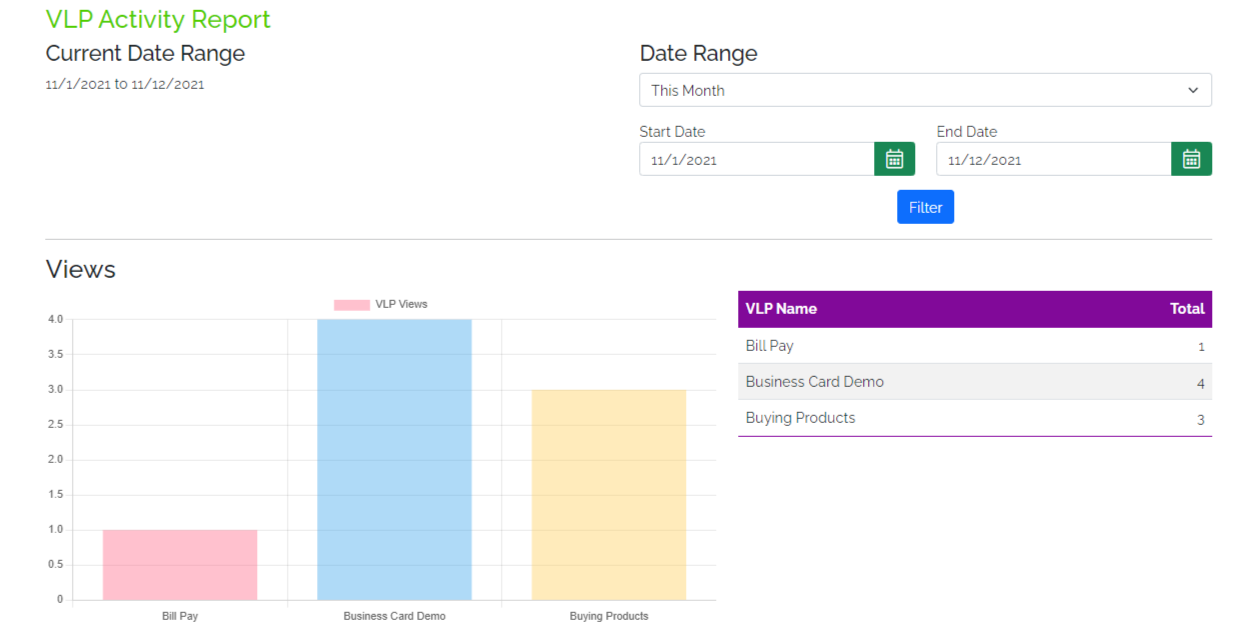
The bar graph contains Epype names that are being compared. Listed below are sections' names per bar graph.
Example:
2: Outbound SMS
Allows you to know what works for your customers and who is interested.
Step by Step Process:
- Modify Date Range.
- Click Search to generate the report.
- Choose the message blast you would like to view. Click Get Report after.
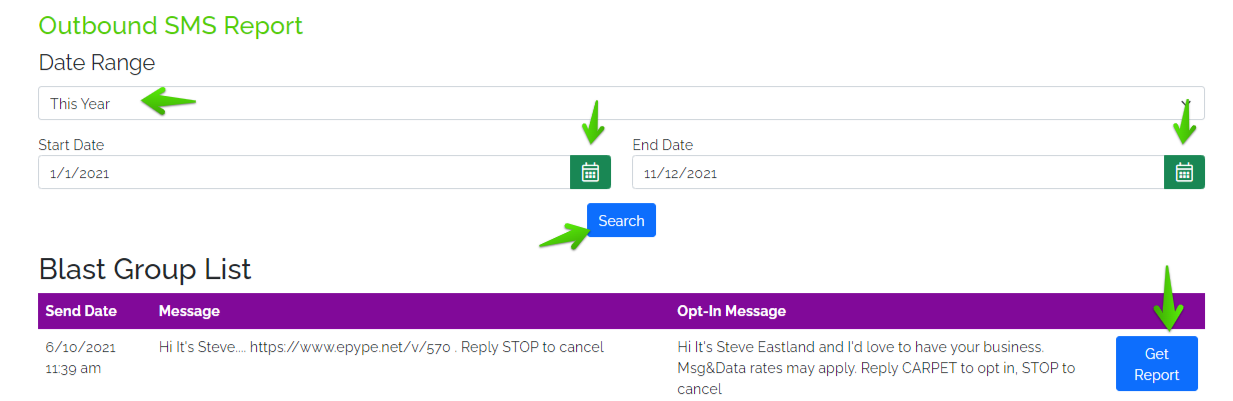
Data Available on Outbound SMS Report
-
Blast Date
-
Message
-
Opt-in Request Message
-
Total Messages
-
Epype Activity
-
Delivered Messages (Downloadable Data)
-
Opt-ins
-
Opt-outs
-
Undelivered Messages
-
Options Available at the Bottom of the Report
-
Print
-
Download
-
New Report
3: Keyword Activity
Works the same as Epype Activity but the focus is on Keyword.
One Keyword - individual report.

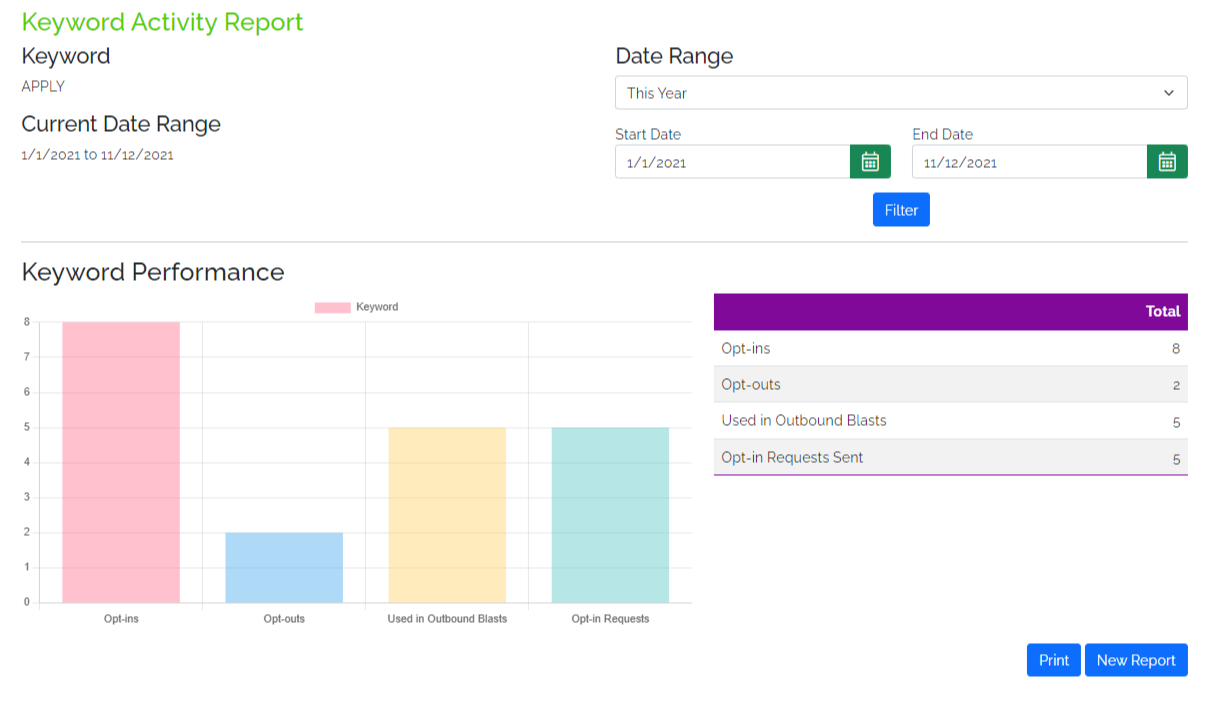
Two or more Keywords - comparison reports.
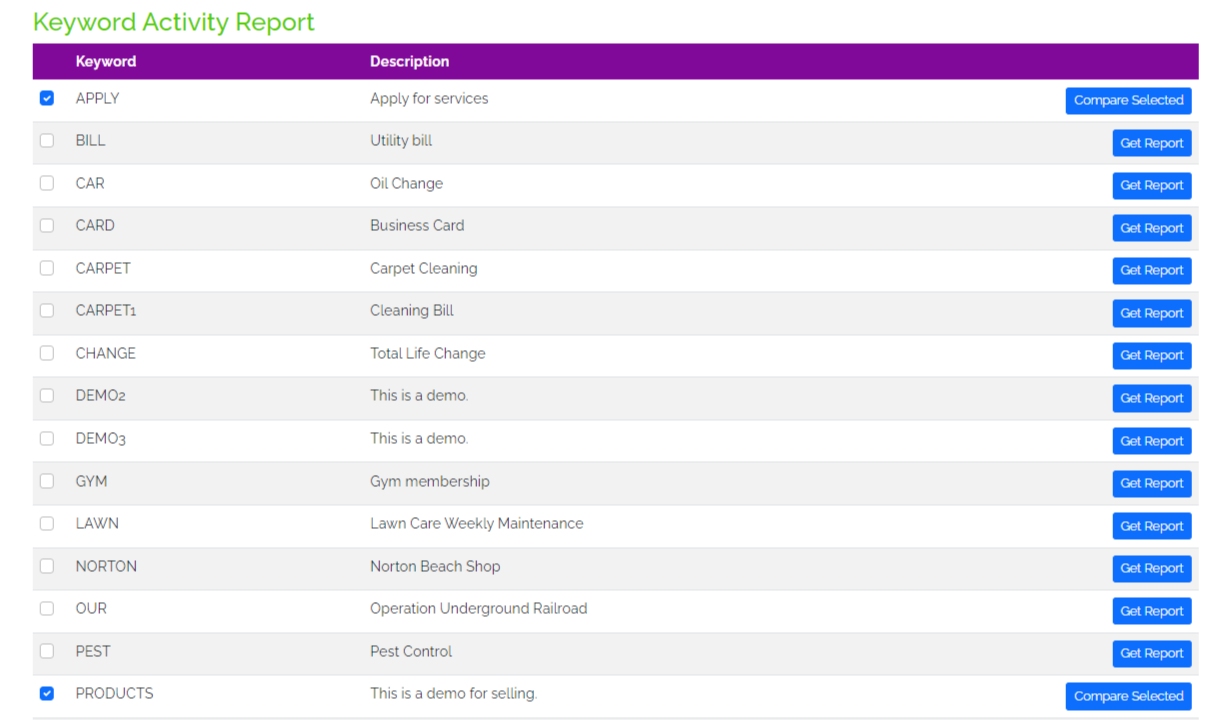
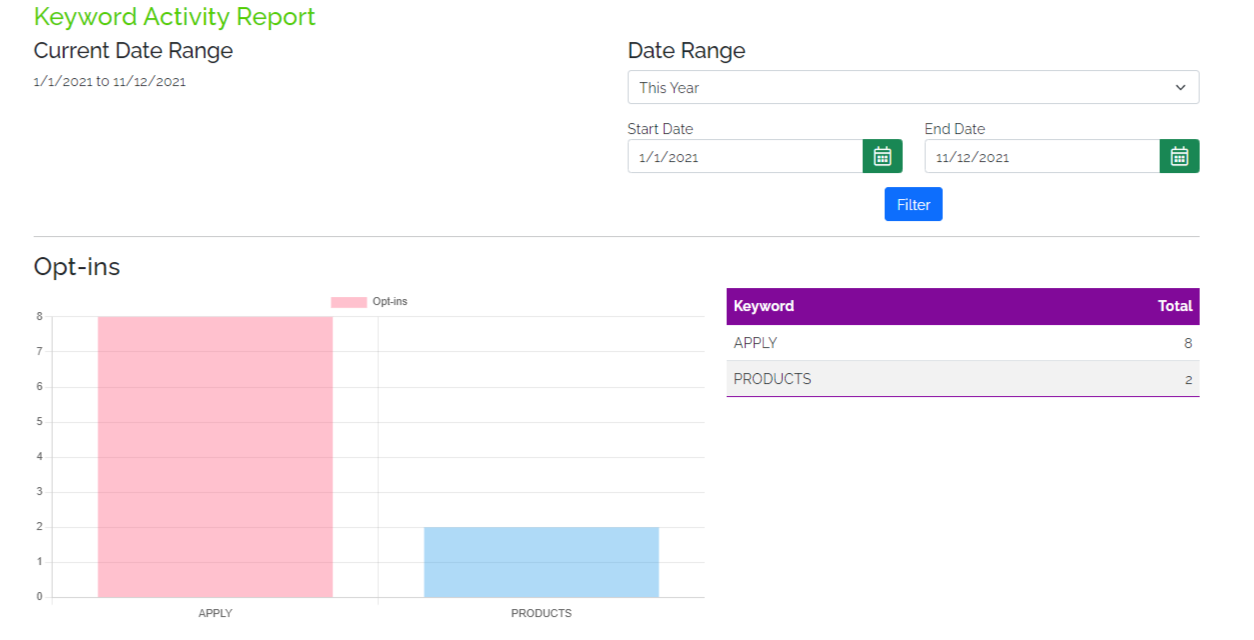
The bar graph contains Keywords that are being compared. Listed below are sections' names per bar graph.
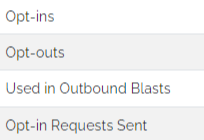
Example:
Reports provide a great way for you to see what is working for you and your people. If you have any questions about creating reports, please reach out to us.
Last Updated by: ES 03/15/2022