Setting and Changing Account Notifications
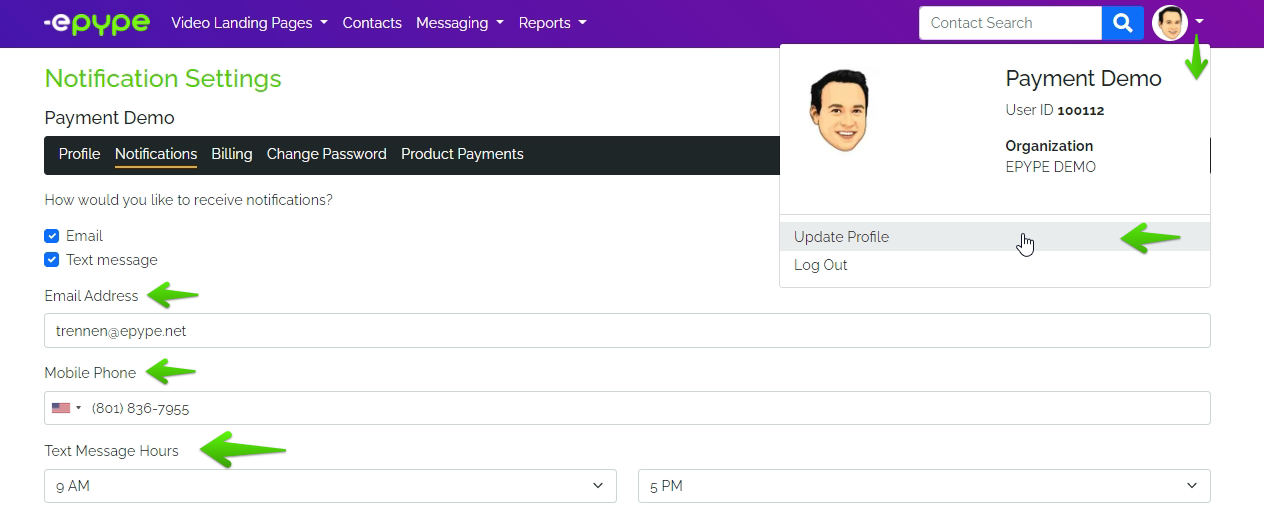
1. Log in to your account, click on Update Profile, then on Notifications.
How to Receive Notifications?
You can receive notifications either via email and/or text message. Click on the tick box beside your preferred method.
By default, the information on the record for notification is the email and phone number you provided upon signing up. Modify the information if the email and mobile phone number you want to receive notifications on are different from what was provided when you sign up.
You can also select the time when notifications will come in. Any notifications outside the indicated hours will be received the following business hour.
Methods of Notifications and Notification Type
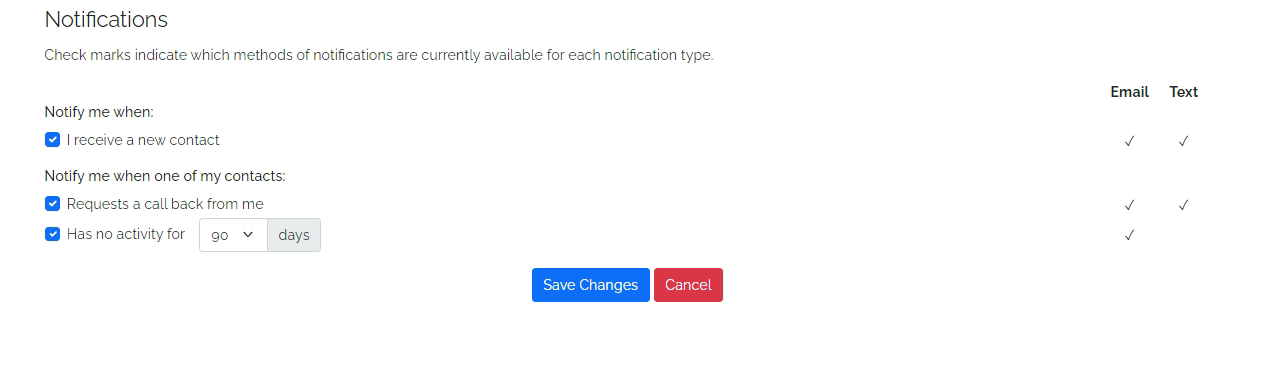
Please refer to the screenshot above for available Notification Type. Click on the tick box beside your preference/s.
Make sure to Save Changes after doing updates on Notification Preference.
Last Updated: ES 03/14/2022